Web & Conversion

Neon blue illustration showing company reports, an upward growth graph, and a handshake under the text "BUILDING WEBSITE TRUST."
Web & Conversion

Building Website Trust

In today’s digital world, your website is often the first place people visit before choosing a business, buying a product, or contacting a service provider. A good-looking website can attract visitors, but trust is what makes them stay and take action. Imagine someone visits your website for the first time. They may have never heard of your business before. Within a few seconds, they start asking themselves simple questions: Is this website genuine? Can I trust this business? Is my information safe? Will I get what I am promised? If your website does not answer these questions clearly, visitors may leave without contacting you or making a purchase. Building website trust does not require complicated tricks. Small details such as clear information, professional design, real reviews, secure browsing, helpful content, and easy communication can make a big difference. In this blog, we will discuss practical and simple ways to build trust through your website and turn visitors into confident customers. What Is Website Trust? Website trust means the level of confidence visitors have in your website, business, products, or services. When people trust your website, they feel more comfortable: Exploring your services Reading your content Sharing their contact details Booking a service Buying a product Signing up for an account Contacting your business Trust is especially important for new businesses because visitors may not know anything about you yet. A professional website helps remove doubts and gives people a reason to believe that your business is real, reliable, and worth their time. Why Is Website Trust Important? A visitor can find hundreds of websites offering similar products or services. If your website looks confusing, outdated, or unreliable, they can easily move to another option. Trust helps your website stand out in a crowded online space. 1. Trust Encourages People to Take Action Visitors are more likely to fill out a form, request a quote, make a booking, or purchase a product when they feel comfortable with your website. 2. Trust Improves Your Brand Image Your website represents your brand online. A clean and professional website can make even a growing business look more established and dependable. 3. Trust Can Increase Conversions Getting visitors to your website is only one part of digital marketing. You also need to convince them to take the next step. 4. Trust Helps Build Long-Term Relationships A trustworthy website does not only help with the first sale. It can also encourage customers to return, recommend your business, and build a long-term relationship with your brand. 1. Create a Clean and Professional Website Design First impressions matter. When someone visits your website, they quickly notice the layout, colors, images, fonts, spacing, and overall appearance. Your website does not need to be extremely fancy. In fact, too many animations, colors, pop-ups, and design elements can make it feel confusing. Instead, focus on a clean and simple design. Make sure your: Headings are easy to read Colors match your brand Buttons are clearly visible Images look professional Pages have enough spacing Navigation is simple Important information is easy to find A professional design tells visitors that you care about your business and your customers. 2. Make Your Website Easy to Navigate Visitors should not have to search everywhere to find basic information. Your main navigation should be simple and predictable. For example, a business website might include: Home | About | Services | Portfolio | Blog | Contact An e-commerce website may include: Home | Shop | Categories | Offers | About | Contact Keep the navigation clear and avoid adding unnecessary menu items. If visitors can quickly find what they need, they are more likely to stay on your website. 3. Show Real Information About Your Business One of the easiest ways to build trust is to tell people who you are. Your About Us page should not feel like a collection of complicated marketing words. Keep it natural and honest. Tell visitors: Who you are What you do Who you help What makes your business different Why you started What you believe in You can also introduce your team. Real names, photos, roles, and short introductions can make a business feel more human. People generally feel more comfortable dealing with a business when they can see the people behind it. 4. Use Real Photos and High-Quality Visuals Images can strongly influence how people feel about your website. Poor-quality, blurry, unrelated, or overly generic images can make a website look less trustworthy. Whenever possible, use relevant and high-quality visuals. For example, if you run a digital marketing agency, you could show: Your team working Your workspace Real project screenshots Campaign results Creative work Behind-the-scenes photos If you use stock images, choose images that feel natural and relevant to your business. The goal is not simply to make your website beautiful. Your visuals should help visitors understand your business. 5. Display Your Portfolio or Previous Work If you provide a service, your previous work can be one of your strongest trust-building tools. Instead of only telling people that you are good at something, show them. A portfolio can include: Website projects Branding work Marketing campaigns Design projects Before-and-after examples Case studies Client results For each project, explain briefly what the challenge was, what you did, and what changed after your work. This gives visitors a better understanding of your actual capabilities. 6. Make Your Contact Information Easy to Find A website becomes more trustworthy when visitors can easily contact the business. Do not hide your contact information. Consider adding: Phone number Email address Contact form Business address, if relevant Social media profiles WhatsApp or other communication options Your Contact page should be easy to find from the main navigation or footer. You can also add contact information to the footer so visitors can access it from different pages. If someone has a question, making them search for your contact details can create unnecessary frustration. 7. Use HTTPS and Keep Your Website Secure Website security is extremely important, especially
Neon blue "CRO" 3D illustration featuring professionals working on laptops surrounded by marketing and optimization icons.
Web & Conversion

CRO Explained

Getting people to visit your website is important, but getting them to take action is what really matters. You may have a beautiful website, good traffic, strong social media profiles, and great products or services. But if visitors leave without buying, signing up, booking a call, or contacting you, something is missing. This is where CRO, or Conversion Rate Optimization, comes in. CRO helps you understand how visitors use your website and find ways to make it easier for them to take the action you want. The good thing is that CRO is not about completely rebuilding your website every time. Sometimes, a small change to a headline, button, form, image, or page layout can make a noticeable difference. In this guide, we will explain CRO in simple language, how it works, why it matters, what you can optimize, common CRO strategies, useful tools, mistakes to avoid, and how to create a practical CRO process for your website. What Is CRO? CRO stands for Conversion Rate Optimization. It is the process of improving your website or landing pages so that a higher percentage of visitors complete a desired action. A conversion can be different for every business. For an e-commerce website, a conversion could be: Purchasing a product Adding an item to the cart Starting checkout Creating an account For a service business, a conversion could be: Filling out a contact form Calling the business Booking a consultation Requesting a quote For a blog, a conversion could be: Signing up for a newsletter Downloading a guide Creating an account Clicking an important link So, CRO is not simply about getting more visitors. It is about getting more value from the visitors you already have. A Simple CRO Example Imagine your website gets 10,000 visitors every month. Out of those visitors, 200 people purchase your product. Your conversion rate is: 200 ÷ 10,000 × 100 = 2% Now imagine that after improving your product page, simplifying checkout, and making your call-to-action clearer, 300 people purchase. Your conversion rate becomes: 300 ÷ 10,000 × 100 = 3% You received the same amount of traffic, but you generated more conversions. That is the basic idea behind CRO. Why Is CRO Important? Many businesses focus heavily on getting more traffic. They invest in: SEO Google Ads Social media Content marketing Email marketing Influencer marketing These strategies can bring people to your website. But what happens after visitors arrive? If your website does not make it easy for them to take action, some of that traffic may be wasted. CRO helps you improve what happens after the click. 1. Get More Results From Existing Traffic You do not always need more visitors to increase conversions. Sometimes, improving the experience for your existing visitors can produce better results. 2. Improve User Experience Good CRO often means making your website easier to understand and use. When visitors can quickly find information and complete actions without confusion, the overall experience improves. 3. Reduce Wasted Marketing Spend If you are paying for advertising, sending visitors to a page that does not convert well can be expensive. Improving that page can help you get more value from your marketing budget. 4. Understand Your Customers Better CRO involves studying visitor behavior. You can learn: What people click Where they leave Which pages they visit What information they need What stops them from converting This information can improve your overall marketing strategy. What Is a Conversion? Before starting CRO, you need to understand what a conversion means for your business. A conversion is simply a desired action completed by a visitor. There are two common types. Macro Conversions These are the main actions that directly support your business goals. Examples include: Purchasing a product Booking a service Requesting a quote Signing a contract Scheduling a consultation Micro Conversions These are smaller actions that may lead to a bigger conversion later. Examples include: Signing up for an email list Watching a product video Downloading a guide Adding a product to a wishlist Creating an account Tracking both can help you understand the complete customer journey. How Do You Calculate Conversion Rate? The basic conversion rate formula is: Conversion Rate = (Number of Conversions ÷ Number of Visitors) × 100 For example: Your website receives 5,000 visitors. You get 150 form submissions. Your conversion rate is: 150 ÷ 5,000 × 100 = 3% However, conversion rates can be calculated using different measurements depending on the goal. For example, you may measure conversions based on: Sessions Users Leads Transactions Landing page visitors The important thing is to use a consistent measurement method when comparing results. What Is a Good Conversion Rate? There is no universal conversion rate that every website should aim for. A “good” conversion rate depends on many factors, including: Industry Business model Traffic source Product price Audience Device Country Conversion type Customer intent A visitor coming from a highly targeted search may behave differently from someone who randomly discovers your website on social media. Instead of focusing only on industry averages, it is often more useful to understand your current performance and continuously improve it. How Does CRO Work? CRO is not about randomly changing things and hoping they work. A good CRO process usually follows a cycle: Research → Identify Problems → Create Hypothesis → Test → Analyze → Improve Let’s look at each step. Step 1: Research Start by understanding what your visitors are doing. Look at: Website analytics Traffic sources Popular pages Exit pages Device usage Conversion data User behavior You want to understand what is happening before deciding what to change. Step 2: Identify Problems Once you collect data, look for possible problems. For example: Visitors leave the checkout page Few people complete your contact form Mobile users convert less than desktop users Visitors scroll past your main CTA A landing page gets traffic but few leads These observations give you areas to investigate. Step 3: Create a Hypothesis A hypothesis is an educated idea about why

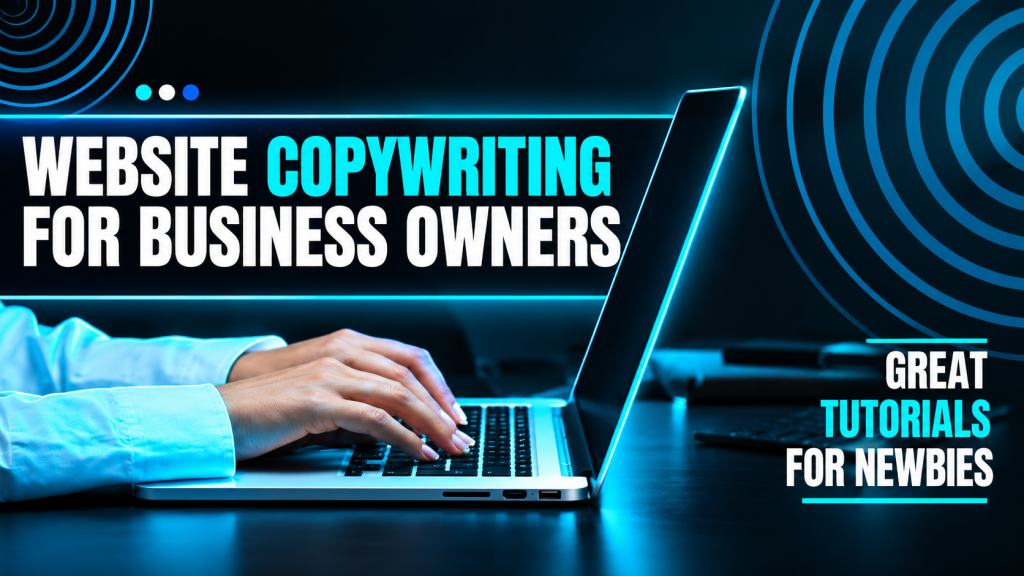
Hands typing on a laptop with neon blue text overlays reading "WEBSITE COPYWRITING FOR BUSINESS OWNERS" and "GREAT TUTORIALS FOR NEWBIES."
Web & Conversion

Website Copywriting

Your website may have a beautiful design, fast loading speed, and great images, but there is one thing that helps visitors understand your business quickly: your website copy. Website copywriting is more than simply putting words on a page. Good copy explains what you do, who you help, why people should choose you, and what they should do next. Think about the last time you visited a business website. You probably did not read every single word. Instead, you looked for quick answers: What does this business offer? Can they solve my problem? Why should I trust them? How can I contact them? Good website copy answers these questions naturally and quickly. In this guide, we will explain website copywriting in simple language, why it matters, how to write different website pages, how to make your copy more engaging, common mistakes to avoid, and practical tips to create content that both people and search engines can understand. What Is Website Copywriting? Website copywriting is the process of writing text for a website with a specific purpose. This can include: Homepage copy About Us content Service pages Product descriptions Landing pages Blog content Calls-to-action Headlines Contact page content FAQ sections Pricing page copy The goal is not simply to provide information. Good website copy should help visitors understand, trust, and take action. For example, instead of writing: “We provide digital marketing services.” You could make it more useful: “We help growing businesses improve their online visibility, reach the right audience, and turn website visitors into customers.” The second version gives visitors a better idea of what you actually do and why it matters. Why Is Website Copywriting Important? People usually visit a website with a purpose. They may be looking for a product, service, answer, solution, or business they can trust. If your website copy is confusing, too generic, or difficult to read, visitors may leave. Good copywriting helps you: Explain Your Business Clearly Visitors should understand your business without having to guess. Build Trust Clear and honest communication makes your brand feel more professional and reliable. Connect With Your Audience The right words can show visitors that you understand their needs and problems. Increase Conversions Strong copy can encourage visitors to contact you, buy a product, book a service, or sign up. Support SEO Useful, relevant, well-structured content can also help search engines understand your pages and topics. Website Copywriting vs Content Writing These two terms are often confused. Website copywriting is usually focused on persuading visitors to take an action. Examples include: “Book a Consultation” “Get Your Free Quote” “Start Shopping” “Request a Demo” Content writing is often focused more on informing, educating, or entertaining. Examples include: Blog posts Guides Tutorials Educational articles Industry updates There can be overlap between the two. For example, a blog can educate a reader while also encouraging them to contact your business. Know Your Audience Before Writing One of the biggest website copywriting mistakes is starting to write before understanding the audience. Before writing, ask: Who are you trying to reach? What problem are they facing? What do they want? What are they worried about? What questions do they have? What could stop them from buying? What language do they normally use? Imagine you are writing for a small business owner. They may care about: Getting more customers Saving time Improving sales Getting better leads Understanding costs Getting measurable results Your copy should focus on these needs instead of only describing your company. Focus on Benefits, Not Just Features A feature tells people what something has. A benefit explains why it matters to them. For example: Feature:“24/7 customer support.” Benefit:“Get help whenever you need it, even outside normal business hours.” Another example: Feature:“Fast website loading.” Benefit:“Give visitors a smoother experience and help them find what they need faster.” Features are useful, but benefits help visitors understand the value. Write a Strong Homepage Your homepage is often the first major page visitors see. It should quickly answer three basic questions: What do you offer? Who is it for? Why should visitors care? A simple homepage structure can look like this: Hero Section Start with a clear headline. Instead of: “Welcome to Our Website” Try: “Digital Marketing That Helps Your Business Grow Online.” Then add a short supporting paragraph explaining the offer. For example: “We help businesses improve their online presence through SEO, social media, paid advertising, and conversion-focused strategies.” Then add a clear CTA: Get Started or Book a Free Consultation. Use Short Sentences and Paragraphs People usually scan websites instead of reading every word. Large blocks of text can feel overwhelming. Instead: Keep paragraphs short. Use headings. Use bullet points. Highlight important information. Leave enough white space. Break long sections into smaller parts. For example, instead of writing one 200-word paragraph, divide it into several sections with useful headings. This makes your website easier to scan. Write Better Service Pages Each important service should ideally have its own clear section or page. For example, a digital marketing website might have: SEO Social Media Marketing Paid Advertising Email Marketing Content Marketing Web Design A service page can follow this structure: 1. Clear Headline Explain the service immediately. 2. Short Introduction Tell visitors what the service does. 3. The Problem Explain the problem your customer may be experiencing. 4. Your Solution Show how your service helps. 5. Benefits Explain what customers can gain. 6. Process Show how your service works. 7. Proof Add testimonials, case studies, or examples. 8. CTA Tell visitors what they should do next. Use Customer-Friendly Language Write the way your customers actually speak. Suppose a customer says: “My website gets visitors but nobody contacts me.” Your website could address that directly: “Getting traffic but not enough leads? We can help you improve your website experience and turn more visitors into potential customers.” This feels more personal because it speaks directly to a real problem. Use “You” More Than “We” Many company websites talk too much about themselves. For example: “We

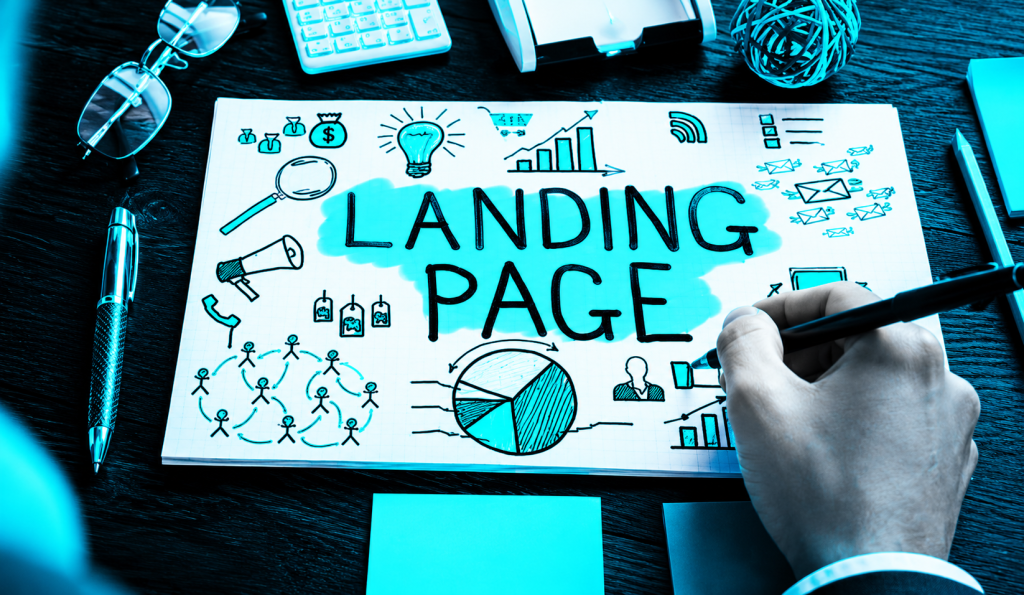
A hand sketching a "LANDING PAGE" mind map with business and marketing icons under a neon blue tint
Web & Conversion

Landing Page Tips

A landing page can be one of the most useful parts of your digital marketing strategy. It gives visitors a focused place to learn about a product, service, offer, or campaign and encourages them to take one specific action. But simply creating a landing page is not enough. The page needs to be clear, useful, fast, trustworthy, and easy to use. From the headline and images to the CTA, form, content, and mobile design, every part can affect how visitors respond. In this guide, we will cover practical landing page tips that can help you create better pages, improve the user experience, and increase conversions. 1. What Is a Landing Page? A landing page is a dedicated web page created for a specific marketing goal. People may reach it through Google Ads, social media, email campaigns, search engines, or other marketing channels. For example, if you are promoting SEO services, instead of sending visitors to your general homepage, you can create a landing page specifically for SEO. The page can explain the service, show its benefits, provide testimonials, answer questions, and guide visitors toward booking a consultation. The main idea is simple: one page, one clear purpose. 2. Why Landing Pages Are Important Landing pages help businesses turn interested visitors into leads or customers. A normal website may have many pages, menus, links, and services. A landing page removes much of that distraction and focuses attention on one offer. A good landing page can help you: Generate leads Promote a product Increase sales Collect email subscribers Get consultation requests Promote special offers Improve advertising results For example, someone clicking an ad for a free website audit should ideally reach a page that talks specifically about that audit rather than a general business homepage. 3. Landing Page vs Homepage A homepage introduces your overall business. It may contain information about your company, services, portfolio, blogs, contact details, and other pages. A landing page is much more focused. Homepage Introduces the brand Contains multiple sections Has several navigation options Covers different services or topics Landing Page Focuses on one offer Has one main goal Contains fewer distractions Encourages one specific action Both are important, but they serve different purposes. 4. Set One Clear Goal Before designing your landing page, decide what you want visitors to do. Your goal could be: Book a call Buy a product Request a quote Download a guide Sign up for a newsletter Start a free trial Fill out a contact form Do not try to make one landing page do everything. If you want visitors to book a consultation, make that the main action throughout the page. A focused goal makes your landing page easier to understand and easier to optimize. 5. Know Your Target Audience Good landing page content starts with understanding the people you want to reach. Think about their needs, problems, expectations, and concerns. Ask yourself: Who is visiting this page? What problem are they trying to solve? What result do they want? What questions might they have? What could stop them from taking action? For example, a landing page for small business owners should use different language from a page created for professional marketers. When your content speaks directly to your audience, it feels more relevant and personal. 6. Write a Strong Landing Page Headline Your headline is one of the first things visitors see. It should quickly explain what the page is about and why the visitor should care. A weak headline might say: “Welcome to Our Digital Marketing Services.” A stronger headline could be: “Get More Customers With Smarter Digital Marketing.” The second headline focuses more on the result. A good headline should be: Clear Short Relevant Benefit-focused Easy to understand Do not try to sound complicated. Clear language usually works better. 7. Create a Helpful Subheading Your subheading supports the main headline by providing a little more information. For example: Headline:“Turn More Website Visitors Into Customers” Subheading:“We create simple, user-friendly landing pages designed to help your business attract leads and increase conversions.” The subheading should explain the offer without becoming a large paragraph. Think of the headline as the attention-grabber and the subheading as the quick explanation. 8. Write Simple and Clear Copy Your landing page copy should be easy to read. Avoid complicated business language and long paragraphs. Visitors should not have to read everything to understand your main message. Use: Short paragraphs Simple sentences Clear headings Bullet points Direct language Instead of saying: “We provide comprehensive digital transformation solutions for businesses.” you could say: “We help businesses improve their online presence and reach more customers.” Simple copy feels more natural and is easier to understand. 9. CTA Placement and Design Your CTA should be easy to find. You can place your main CTA in important areas such as: Hero section After benefits After testimonials Near the bottom of the page The button should also look clickable and have enough space around it. Avoid using too many different CTA messages. If your main goal is booking a consultation, keep the main CTA focused on that action. 10. Create an Attractive Hero Section The hero section is the first major section of your landing page. A strong hero section usually contains: Main headline Subheading Primary CTA Relevant image or visual Optional trust element Visitors should be able to understand your offer quickly. A good hero section answers three simple questions: What are you offering? Why does it matter? What should I do next? If these answers are unclear, the hero section needs improvement. Use Relevant and High-Quality Images Images can make your landing page more attractive and easier to understand. However, do not use random stock images just to fill space. Choose visuals that support your message. For a website development landing page, you could show: Website mockups Dashboard screenshots Mobile website designs Before-and-after examples For a product landing page, show the actual product from useful angles. Images should be high quality but also optimized so they do not

A neon-blue desk setup featuring a laptop open to the WordPress dashboard surrounded by digital icons, tablets, and notebooks.
Web & Conversion

High-Converting Websites

A website is often the first place people go when they want to learn about a business. But having a website is not enough. A website should do more than look attractive. It should help visitors understand your business, trust your brand, and take the next step. A high-converting website is designed with this purpose in mind. It guides visitors from their first impression to an action, such as making a purchase, filling out a form, booking a call, requesting a quote, or contacting the business. In this guide, we will explore the most important elements of a high-converting website and how you can use them to create a better online experience. What Is a High-Converting Website? A high-converting website is a website that successfully turns visitors into leads, customers, subscribers, or other valuable actions. For example, imagine 1,000 people visit your website in a month. If 50 people contact you, your website has generated 50 conversions. A conversion does not always mean a sale. It depends on your business goal. Conversions can include: Product purchases Contact form submissions Phone calls Consultation bookings Newsletter sign-ups Account registrations Free trial registrations Quote requests Downloads The most important thing is that your website has a clear goal and makes it easy for visitors to reach it. Why Website Conversion Matters Getting website traffic is useful, but traffic alone does not grow a business. You can have thousands of visitors and still get very few customers if your website is confusing or difficult to use. For example, a website may have: Good traffic Beautiful images Professional branding Lots of information But if visitors cannot understand what the business offers or do not know what to do next, many of them will leave. A conversion-focused website tries to make every important step easier. It answers questions such as: What does this business offer? Why should I choose it? Can I trust it? What should I do next? When these questions are answered clearly, visitors are more likely to take action. 1. Start With a Clear Website Goal Before designing your website, decide what you want it to achieve. A website can have several goals, but it should have one clear primary purpose. For example: An e-commerce website may focus on sales. A service business may focus on leads. A consultant may focus on booking calls. A blog may focus on subscriptions. A SaaS business may focus on free trials. Your design, copy, and CTA should support that goal. If you do not know what action you want visitors to take, it becomes difficult to create a website that converts. 2. Understand Your Target Audience A website should not be written for everyone. Before creating your website, understand your ideal customer. Think about: What problem do they have? What are they looking for? What do they care about? What questions do they ask? What concerns might they have? What would make them trust your business? For example, a website selling affordable website design to small businesses should speak differently from a website selling enterprise software to large companies. The better you understand your audience, the easier it becomes to create content that feels relevant. 3. Create a Strong First Impression Visitors can quickly decide whether a website feels professional or confusing. Your first impression is influenced by: Design Headline Images Colors Layout Page speed Navigation Overall clarity Your website does not need to be extremely complicated to look professional. A clean layout, good typography, clear messaging, and relevant visuals can create a strong first impression. The goal is to make visitors feel: “I am in the right place.” 4. Write a Powerful Homepage Headline Your homepage headline should explain what you offer and why it matters. Avoid generic headlines such as: “Welcome to Our Website.” Instead, focus on the customer’s need or desired result. For example: “Build a Stronger Online Presence and Reach More Customers.” The headline should be: Clear Short Relevant Easy to understand Focused on value Visitors should not have to read an entire page to understand what your business does. 5. Add a Helpful Subheading A subheading can provide more information after the main headline. For example: Headline:“Grow Your Business With Smarter Digital Marketing.” Subheading:“We help businesses attract the right audience, improve their online presence, and turn more visitors into customers.” The headline gets attention, while the subheading provides context. Together, they should give visitors a quick understanding of your offer. 6. Focus on Benefits Instead of Only Features One of the most important conversion tips is to focus on benefits. Features explain what your product or service has. Benefits explain what the customer gets from it. For example: Feature:“Fast website loading.” Benefit:“Give visitors a smoother experience and reduce the chances of them leaving.” Another example: Feature:“Monthly marketing reports.” Benefit:“Understand your results and know where your marketing budget is going.” People usually care about how your offer can improve their situation. 7. Make Your Website Easy to Navigate Good navigation helps visitors find what they need without thinking too much. Your main navigation might include: Home About Services Portfolio Blog Contact For larger websites, additional categories may be useful. Keep navigation simple and consistent. Avoid making visitors click through several unnecessary pages just to find basic information. A simple navigation system creates a smoother user experience. 8. Use Clear Calls-to-Action A CTA, or call-to-action, tells visitors what to do next. Examples include: Get Started Book a Free Call Request a Quote Contact Us Buy Now Start Free Trial Learn More Get a Free Consultation A CTA should be specific and easy to understand. Instead of using only “Submit,” you might use: “Get My Free Consultation.” The second option tells visitors exactly what they are getting. 9. Build Trust From the Beginning Trust is one of the biggest factors affecting conversions. Visitors may hesitate if they do not know: Who you are Whether your business is genuine Whether your service works Whether other people trust you You can build trust through: Testimonials

Scroll to Top