
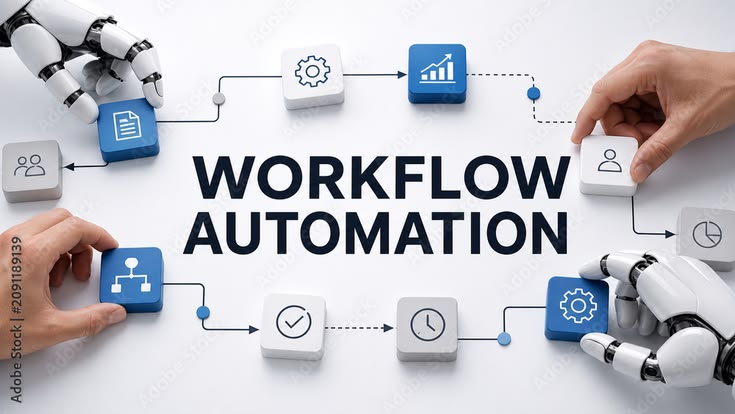
In today’s digital world, businesses are always looking for better ways to save time, reduce costs, and improve their work. Customers expect quick responses, smooth services, and a good experience whenever they interact with a business. Managing all these things manually can become difficult, especially when a business starts growing.
This is where automation becomes useful.
Automation helps businesses complete repetitive tasks automatically with the help of software, tools, and technology. Instead of doing the same work again and again, businesses can use automation to handle many tasks with less manual effort. These tasks may include sending emails, following up with customers, managing leads, scheduling social media posts, collecting information, and tracking marketing results.
For example, imagine that a customer fills out a contact form on your website. Without automation, you may need to check the form, collect the customer’s details, and send a reply manually. With automation, the customer can receive an instant confirmation email, and their information can be saved directly in your customer management system.
This saves time and makes the process easier for both the business and the customer.
Automation is not only useful for large companies. Small businesses, startups, freelancers, digital marketers, and online stores can also use it to improve their daily work.
In this blog, we will explore the major benefits of automation, how it works, and why it has become an important part of modern business growth.
What Is Automation?
Automation is the process of using technology or software to perform tasks with little or no manual effort. It allows businesses to create systems that complete specific actions automatically when certain conditions are met.
In simple words, automation means letting technology handle repeated work so that people can focus on more important activities.
For example, an email marketing tool can automatically send a welcome email whenever someone subscribes to a newsletter. Similarly, a social media scheduling tool can publish a post at a selected time without requiring someone to publish it manually.
Automation can be used in many areas, including:
Email marketing
Digital marketing
Customer service
Sales and lead management
Website management
Social media marketing
Data collection and reporting
Online shopping and order management
The main purpose of automation is to make work faster, easier, more consistent, and less dependent on repetitive manual tasks.
However, automation does not mean removing people from every process. Human judgment, creativity, communication, and decision-making are still important. The best results often come when people and automation tools work together.
Why Is Automation Important for Modern Businesses?
Running a business involves many small tasks that require time and attention. Answering customer questions, sending emails, updating records, preparing reports, and following up with leads can take up a large part of the working day.
When these activities are handled manually, employees may have less time for planning, creativity, and business development.
Automation helps solve this problem by creating a more organized way of working.
For example, a digital marketing agency may manage several clients at the same time. Each client may need regular reports, email campaigns, social media updates, and lead follow-ups. Completing every task manually can become difficult as the number of clients increases.
With automation, the agency can schedule posts, send selected email sequences, organize leads, and prepare recurring reports more efficiently.
This allows the team to spend more time understanding customer needs, improving campaigns, and developing better marketing strategies.
Automation is important because it helps businesses handle their workload more effectively while maintaining consistent processes.
1. Saves Time and Improves Productivity
One of the biggest benefits of automation is that it saves time.
Many business activities are repeated every day. These tasks may not be complicated, but they can take hours when completed manually. Automation allows software to handle suitable repetitive activities in the background.
For example, sending a welcome email to every new subscriber can be automated. Instead of writing and sending the same message repeatedly, a business can create the email once and allow the system to send it whenever a new subscriber joins the list.
The same approach can be used for appointment reminders, order confirmations, follow-up messages, and scheduled social media posts.
Saving time does not only mean finishing tasks faster. It also gives employees more time to focus on activities that require personal attention and creative thinking.
When people spend less time on repetitive work, they can concentrate on improving customer relationships, developing new ideas, and solving business problems.
As a result, automation can improve overall productivity and make daily work more manageable.
2. Reduces Human Errors
Even careful employees can make mistakes, especially when they perform the same task many times.
A person may enter the wrong email address, forget to update a customer record, miss a follow-up, or accidentally send an incorrect report. These small mistakes can sometimes create bigger problems for a business.
Automation can reduce certain types of human error by following predefined instructions consistently.
For example, an automated form can collect customer details in a standard format. A connected system can then transfer those details into a customer database without requiring someone to copy the information manually.
Similarly, automated calculations and reporting tools can reduce errors caused by repeated manual data entry, provided the information and rules are correct.
However, automation is not perfect. Incorrect settings, poor-quality data, or technical problems can also lead to mistakes.
That is why businesses should test their automated systems, review important results, and update processes when necessary.
When used carefully, automation helps businesses maintain more accurate records and complete routine tasks with greater consistency.
3. Improves Email Marketing
Email marketing is one of the most useful areas for automation because businesses often need to communicate with customers at different stages of their journey.
Sending every email manually can be difficult when a business has hundreds or thousands of subscribers. Email automation helps businesses send relevant messages based on customer actions, preferences, or subscription status.
For example, when a person subscribes to a newsletter, they can automatically receive a welcome email. A few days later, they may receive helpful information about a product or service. If they show interest in a particular offer, the business can send a related follow-up email.
Common email automation examples include:
Welcome emails for new subscribers
Birthday or special occasion emails
Product or service updates
Follow-up emails after a customer inquiry
Educational email sequences
Cart reminder emails for online stores
Re-engagement emails for inactive subscribers
The main advantage is that businesses can communicate consistently without sending every message manually.
Email automation can also help marketers segment subscribers into different groups. For example, a person interested in website development may receive content related to websites, while someone interested in SEO may receive information about search engine optimization.
This makes communication more relevant and useful.
Still, businesses should avoid sending too many emails. Messages should provide real value, follow applicable privacy and consent rules, and give subscribers an appropriate way to unsubscribe.
4. Enhances Customer Experience
Customers appreciate businesses that respond quickly, provide clear information, and make processes simple.
When customers have to wait a long time for a reply or repeat their information several times, their experience can become frustrating.
Automation helps businesses improve the customer experience by making common interactions faster and more organized.
For example, a customer who submits an inquiry form can immediately receive a confirmation message. An online store can automatically send order confirmations and shipping updates. A service business can send appointment reminders before a scheduled meeting.
These small improvements help customers understand what is happening and what they should expect next.
Chatbots can also answer common questions, such as business hours, service details, or order status. If a question requires personal attention, the system should provide a clear way to contact a human representative.
Automation should support customer service rather than make it difficult to reach a real person.
When businesses combine quick automated responses with helpful human support, they can create a smoother and more reliable customer experience.
5. Helps Generate and Manage Leads
Lead generation is an important part of business growth. A lead is a person or organization that has shown interest in a product or service.
Businesses may receive leads through website forms, social media campaigns, email subscriptions, online advertisements, and landing pages.
Managing these leads manually can become confusing, especially when several people are responsible for sales and marketing.
Automation helps organize the process from the moment a potential customer shows interest.
For example, when someone fills out a form on a digital marketing website, an automation system can save their contact details, identify the service they are interested in, and notify the relevant team member.
The system may also send a confirmation email or schedule a follow-up task.
This reduces the chance of losing important inquiries and helps businesses respond in a more organized way.
Lead automation can also support lead nurturing. This means sharing helpful information with potential customers over time so they can better understand a product or service before making a decision.
For example, someone interested in SEO services might receive an introductory email about SEO, followed by a guide explaining the benefits of keyword research and website optimization.
The purpose is not to pressure people into buying. It is to provide useful information and help them make an informed decision.
6. Reduces Business Costs
Every business wants to use its resources wisely. Repetitive manual tasks require employee time, and unnecessary mistakes can lead to additional expenses.
Automation can reduce some of these costs by making routine processes more efficient.
For example, an automated invoicing system can generate invoices using saved customer information. A scheduling tool can manage appointments and send reminders. A marketing platform can distribute emails to a selected audience without requiring a person to send every message individually.
These systems can reduce administrative effort and help employees manage more work within the same working hours.
However, automation is not always free. Businesses may need to pay for software subscriptions, integrations, maintenance, training, and technical support.
The real benefit depends on whether the time and resources saved are greater than the cost of setting up and maintaining the system.
Small businesses should begin with tasks that take a lot of time, happen frequently, and are relatively easy to automate.
By choosing the right processes, businesses can improve efficiency without spending money on unnecessary tools.
7. Supports Better Time Management
Good time management helps businesses complete important work without unnecessary delays.
When employees have to remember every task manually, it becomes easy to miss deadlines, forget meetings, or delay customer follow-ups.
Automation can help create a more organized schedule.
For example, calendar tools can send meeting reminders, project management systems can notify team members about approaching deadlines, and email tools can schedule campaigns in advance.
Social media managers can prepare content for the week and schedule it to publish at selected times. This reduces the need to stop other work just to publish every post manually.
Automation can also create recurring tasks for activities such as preparing monthly reports or reviewing marketing performance.
As a result, teams can follow a more predictable routine and spend less time managing small administrative details.
It is important to remember that automation cannot decide every priority correctly. Employees still need to review deadlines, respond to unexpected situations, and make decisions when plans change.
Used properly, automation supports better time management by making routine work easier to plan and track.
8. Makes Marketing More Consistent
Consistency is important in digital marketing. Businesses need to communicate regularly with their audience, maintain their brand identity, and monitor campaign performance.
When every activity depends on manual work, marketing schedules can become irregular. A team may forget to publish a social media post, delay an email campaign, or miss a planned follow-up.
Automation helps businesses maintain a consistent marketing routine.
For example, social media scheduling tools allow marketers to prepare several posts in advance. Email platforms can send campaigns according to a planned schedule. Advertising platforms can use predefined rules to manage certain campaign activities.
Marketing automation can also help businesses send different messages based on audience behavior.
A new subscriber may receive introductory information, while an existing customer may receive updates about related services.
This makes communication more organized and helps businesses maintain contact with their audience.
However, consistency should not mean sending the same message to everyone. Marketers should regularly review their content, check audience responses, and adjust their campaigns when needed.
Automation makes it easier to follow a plan, but useful content and a clear marketing strategy remain essential.
9. Helps Businesses Grow and Scale
When a business is small, managing customers manually may seem easy. The owner might personally answer every inquiry, send every invoice, and follow up with every lead.
But as the business grows, the number of tasks also increases.
Without organized systems, the team may struggle to maintain the same level of service.
Automation helps businesses manage a larger workload without increasing manual effort for every additional customer.
For example, an online store can automatically send order confirmations to customers, update order information, and provide shipping notifications. A digital marketing agency can use standardized reporting systems and scheduled communication to manage recurring client tasks.
These processes allow the business to handle more activity while keeping routine operations organized.
Automation does not mean that a company can grow without hiring people or improving its systems. More customers may still require additional support, better technology, and stronger management.
The benefit is that the business does not need to repeat every routine action manually as it expands.
By automating suitable tasks early, businesses can build a stronger foundation for future growth.
10. Improves Data Collection and Reporting
Making good business decisions requires reliable information.
Businesses often need to understand how many people visit their website, how many customers open emails, which campaigns generate leads, and which services receive the most interest.
Collecting this information manually can be time-consuming and may result in incomplete records.
Automation tools can gather selected data, organize it, and display it in reports or dashboards.
For example, email marketing software may report email delivery, opens where measurable, clicks, and unsubscribes. Website analytics tools can show traffic sources and visitor activity. Customer management systems can help track inquiries and sales progress.
These reports make it easier to identify patterns and understand what may be working.
Suppose a business notices that one landing page receives many visitors but generates very few inquiries. The team can review the page, check its message, and test improvements to the form or call to action.
Similarly, if an email campaign generates clicks but few conversions, the marketer can examine whether the landing page matches the email’s promise.
Automation makes data easier to collect, but the numbers still need interpretation. Businesses should choose meaningful metrics, check data quality, and avoid making decisions based on a single result.
How to Start Using Automation in Your Business
Starting with automation does not have to be complicated. A simple step-by-step approach can help businesses avoid unnecessary expenses and technical problems.
Step 1: Identify Repetitive Tasks
Start by listing the activities that happen frequently. These might include sending emails, updating customer records, preparing reports, scheduling posts, or reminding customers about appointments.
Choose a task that takes a noticeable amount of time and follows a predictable process.
Step 2: Set a Clear Goal
Decide what you want to improve. Your goal may be to save time, respond to inquiries faster, reduce data entry mistakes, or improve follow-up consistency.
A clear goal helps you understand whether the automation is actually useful.
Step 3: Choose the Right Tool
Look for a tool that supports the task you want to automate. Consider its features, cost, ease of use, integration options, and privacy practices.
Avoid paying for advanced features that your business does not currently need.
Step 4: Create a Simple Workflow
Define what should happen, when it should happen, and what information the system needs.
For example, when someone subscribes to a newsletter, the system should add the subscriber to the appropriate list and send a welcome email.
Step 5: Test Before Launching
Test the workflow using sample information. Check that messages are sent correctly, customer details are recorded accurately, and notifications reach the right people.
Testing is especially important when automation involves customer data or business transactions.
Step 6: Monitor the Results
After launching the workflow, check whether it is producing the expected results. Look for errors, delays, unnecessary messages, or steps that still require too much manual work.
Step 7: Improve Over Time
Automation should not be treated as a one-time setup. As your business changes, review your workflows and update them to match new requirements.
This approach helps businesses build useful automation systems without making their operations unnecessarily complicated.
Challenges and Limitations of Automation
Although automation offers many benefits, it also has some limitations.
Initial setup: Some workflows require time, technical knowledge, and careful planning before they work correctly.
Software costs: Paid tools, integrations, and maintenance may increase business expenses.
Technical problems: An incorrect setting or system failure can interrupt an automated process.
Lack of human understanding: Automation may not understand emotions, unusual situations, or complex customer problems as well as a person can.
Privacy and security: Businesses must protect customer information and follow relevant privacy and data protection requirements.
Over-automation: Too many automated messages or complicated workflows can make customers feel that they are interacting with a system that does not understand them.
These challenges can be managed through careful planning, testing, regular monitoring, and human oversight.
The goal is not to automate every activity. It is to automate the tasks where technology provides a clear benefit while keeping people involved where their judgment and personal attention matter most.
Conclusion
Automation offers many benefits for businesses, including saving time, improving productivity, reducing some manual errors, supporting customer communication, organizing leads, and making performance tracking easier.
In digital marketing, automation can help manage email campaigns, social media scheduling, lead generation, CRM activities, and content distribution. These improvements allow marketing teams to focus more on strategy, creativity, and customer relationships.
The best way to get started is to identify one repetitive task, define a clear goal, choose a suitable tool, and create a simple workflow. Test it carefully and measure whether it provides a meaningful improvement before expanding the system.
For GrowOrbital, automation can support lead management, email marketing, campaign coordination, and customer follow-up across its digital marketing services.
Remember, automation is most useful when it solves a real business problem. It should reduce unnecessary work, improve the customer experience, and help people make better use of their time.
When combined with good planning, relevant communication, and human oversight, automation can become a valuable part of sustainable business growth.
Frequently Asked Questions (FAQs)
1. What are the main benefits of automation?
The main benefits include saving time, improving productivity, reducing repetitive work, supporting consistent communication, organizing data, and making business processes easier to manage.
2. How does automation help digital marketing?
Automation can schedule social media posts, send emails, capture leads, organize customer information, and support campaign reporting.
3. Is automation useful for small businesses?
Yes. Small businesses can automate tasks such as enquiry confirmations, appointment reminders, email sequences, and social media scheduling.
4. Can automation reduce business costs?
Automation may reduce manual workload and help businesses use resources more efficiently. However, software, setup, training, and maintenance costs should also be considered.
5. Does automation replace employees?
No. Automation can handle many repetitive tasks, but businesses still need people for creative work, decision-making, complex customer support, and relationship building.
6. Which automation tools are useful for digital marketing?
Tools such as HubSpot, Mailchimp, ActiveCampaign, Zapier, Buffer, and Brevo support different automation needs. The right option depends on your business requirements.
7. How can GrowOrbital benefit from automation?
GrowOrbital can automate website enquiry capture, email communication, lead management, social media scheduling, consultation reminders, and selected marketing reports.
8. How do I start using automation?
Identify a repetitive task, set a clear goal, choose an appropriate tool, create a simple workflow, test it, and review its results regularly.