October 17, 2026

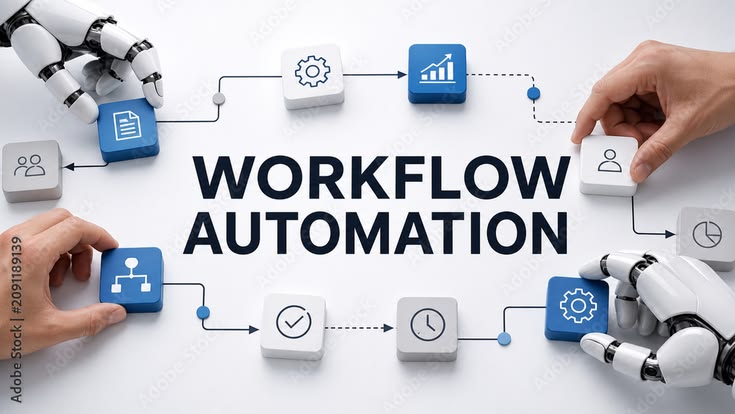
A "WORKFLOW AUTOMATION" concept graphic showing human hands and robotic hands collaborating to assemble a flowchart made of block icons on a white background.
Marketing Automation

Automation Benefits

In today’s digital world, businesses are always looking for better ways to save time, reduce costs, and improve their work. Customers expect quick responses, smooth services, and a good experience whenever they interact with a business. Managing all these things manually can become difficult, especially when a business starts growing. This is where automation becomes useful. Automation helps businesses complete repetitive tasks automatically with the help of software, tools, and technology. Instead of doing the same work again and again, businesses can use automation to handle many tasks with less manual effort. These tasks may include sending emails, following up with customers, managing leads, scheduling social media posts, collecting information, and tracking marketing results. For example, imagine that a customer fills out a contact form on your website. Without automation, you may need to check the form, collect the customer’s details, and send a reply manually. With automation, the customer can receive an instant confirmation email, and their information can be saved directly in your customer management system. This saves time and makes the process easier for both the business and the customer. Automation is not only useful for large companies. Small businesses, startups, freelancers, digital marketers, and online stores can also use it to improve their daily work. In this blog, we will explore the major benefits of automation, how it works, and why it has become an important part of modern business growth. What Is Automation? Automation is the process of using technology or software to perform tasks with little or no manual effort. It allows businesses to create systems that complete specific actions automatically when certain conditions are met. In simple words, automation means letting technology handle repeated work so that people can focus on more important activities. For example, an email marketing tool can automatically send a welcome email whenever someone subscribes to a newsletter. Similarly, a social media scheduling tool can publish a post at a selected time without requiring someone to publish it manually. Automation can be used in many areas, including: Email marketing Digital marketing Customer service Sales and lead management Website management Social media marketing Data collection and reporting Online shopping and order management The main purpose of automation is to make work faster, easier, more consistent, and less dependent on repetitive manual tasks. However, automation does not mean removing people from every process. Human judgment, creativity, communication, and decision-making are still important. The best results often come when people and automation tools work together. Why Is Automation Important for Modern Businesses? Running a business involves many small tasks that require time and attention. Answering customer questions, sending emails, updating records, preparing reports, and following up with leads can take up a large part of the working day. When these activities are handled manually, employees may have less time for planning, creativity, and business development. Automation helps solve this problem by creating a more organized way of working. For example, a digital marketing agency may manage several clients at the same time. Each client may need regular reports, email campaigns, social media updates, and lead follow-ups. Completing every task manually can become difficult as the number of clients increases. With automation, the agency can schedule posts, send selected email sequences, organize leads, and prepare recurring reports more efficiently. This allows the team to spend more time understanding customer needs, improving campaigns, and developing better marketing strategies. Automation is important because it helps businesses handle their workload more effectively while maintaining consistent processes. 1. Saves Time and Improves Productivity One of the biggest benefits of automation is that it saves time. Many business activities are repeated every day. These tasks may not be complicated, but they can take hours when completed manually. Automation allows software to handle suitable repetitive activities in the background. For example, sending a welcome email to every new subscriber can be automated. Instead of writing and sending the same message repeatedly, a business can create the email once and allow the system to send it whenever a new subscriber joins the list. The same approach can be used for appointment reminders, order confirmations, follow-up messages, and scheduled social media posts. Saving time does not only mean finishing tasks faster. It also gives employees more time to focus on activities that require personal attention and creative thinking. When people spend less time on repetitive work, they can concentrate on improving customer relationships, developing new ideas, and solving business problems. As a result, automation can improve overall productivity and make daily work more manageable. 2. Reduces Human Errors Even careful employees can make mistakes, especially when they perform the same task many times. A person may enter the wrong email address, forget to update a customer record, miss a follow-up, or accidentally send an incorrect report. These small mistakes can sometimes create bigger problems for a business. Automation can reduce certain types of human error by following predefined instructions consistently. For example, an automated form can collect customer details in a standard format. A connected system can then transfer those details into a customer database without requiring someone to copy the information manually. Similarly, automated calculations and reporting tools can reduce errors caused by repeated manual data entry, provided the information and rules are correct. However, automation is not perfect. Incorrect settings, poor-quality data, or technical problems can also lead to mistakes. That is why businesses should test their automated systems, review important results, and update processes when necessary. When used carefully, automation helps businesses maintain more accurate records and complete routine tasks with greater consistency. 3. Improves Email Marketing Email marketing is one of the most useful areas for automation because businesses often need to communicate with customers at different stages of their journey. Sending every email manually can be difficult when a business has hundreds or thousands of subscribers. Email automation helps businesses send relevant messages based on customer actions, preferences, or subscription status. For example, when a person subscribes to a newsletter, they can automatically receive a

A marketing automation banner featuring a professional woman using a laptop next to a flowchart illustration showing communication channels funneling into a chatbot system.
Marketing Automation

Marketing Automation Basics

In today’s digital world, businesses need more than just good products or services to grow. They also need to communicate with customers, follow up with potential buyers, share useful information, and build long-term relationships. Managing all these activities manually can take a lot of time, especially when a business has hundreds or thousands of customers. This is where marketing automation becomes useful. Marketing automation helps businesses use software and technology to manage repetitive marketing activities automatically. Instead of manually sending every email, following up with every lead, or organizing every customer record, businesses can create workflows that complete these tasks based on specific actions or conditions. For example, imagine someone visits your website and subscribes to your newsletter. You can set up an automated system that sends a welcome email immediately. After a few days, the subscriber may receive a helpful guide related to their interests. Later, they might receive information about your services. All these messages can be sent automatically according to a plan you create in advance. Marketing automation is not only for large companies with big marketing teams. Small businesses, startups, freelancers, online stores, and digital marketing agencies can also use it to improve their marketing efforts. However, marketing automation is not simply about sending more emails or using more software. Its real purpose is to deliver the right information to the right audience at the right time while making marketing activities easier to manage. In this guide, we will explain the basics of marketing automation, how it works, its major benefits, useful tools, common examples, and how beginners can start using it effectively. What Is Marketing Automation? Marketing automation is the use of software and technology to manage repetitive marketing tasks and customer communication with less manual effort. It allows businesses to create workflows that respond to customer actions, preferences, or other predefined conditions. In simple words, marketing automation means setting up a system that handles selected marketing activities automatically instead of requiring someone to complete every step manually. For example, a business may use marketing automation to: Send welcome emails to new subscribers. Follow up with people who submit inquiry forms. Organize customers according to their interests. Share educational content through email sequences. Send reminders to potential customers. Track customer interactions with marketing campaigns. Notify sales teams when a new lead arrives. Measure marketing campaign performance. Suppose you own a digital marketing agency. Someone visits your website and requests information about SEO services. An automated workflow can record their details, send a confirmation email, and notify your team about the inquiry. Your team can then review the lead and contact the person personally when needed. This makes the process more organized and reduces the chance of forgetting important follow-ups. The important thing to understand is that marketing automation supports your marketing strategy. It does not replace the need for valuable content, a good understanding of your audience, or genuine communication. Why Is Marketing Automation Important? Marketing has become more complex because customers interact with businesses through many different channels. A potential customer might discover a business through Google, visit its website, follow its social media page, read a blog post, and eventually contact the business through email. Keeping track of every interaction manually can become difficult. Marketing automation helps businesses organize these activities and maintain communication with their audience. For example, an online store may use automation to welcome new subscribers, share information about products, remind customers about items left in their shopping carts, and request feedback after a purchase. A service-based business may use automation to acknowledge new inquiries, send educational resources, and remind its team to follow up with interested prospects. These systems help businesses maintain consistency even when the number of customers increases. Marketing automation is also important because customers often expect timely and relevant communication. A person who requests information about a service should receive a useful response, not an unrelated promotional email. When businesses use automation thoughtfully, they can create more organized customer journeys and make better use of their marketing resources. How Does Marketing Automation Work? Marketing automation usually works through a combination of triggers, conditions, actions, and workflows. Each part has a specific purpose. 1. Triggers A trigger is an event that starts an automated workflow. For example, a person subscribes to a newsletter, downloads an e-book, fills out a contact form, or registers for a webinar. The system recognizes the selected event and begins the process. 2. Conditions Conditions help determine what should happen next. For example, a business may send different information to subscribers who are interested in SEO and those who are interested in social media marketing. The system checks the available information and follows the appropriate path. 3. Actions An action is the task the system performs. This may include sending an email, updating a customer record, assigning a lead to a sales representative, or creating a follow-up reminder. 4. Workflows A workflow is the complete sequence of steps connected together. For example: A person subscribes to your newsletter, receives a welcome email, gets a useful guide after a few days, and then receives an invitation to explore a relevant service. The workflow follows the rules you have created. Here is a simple example of a marketing automation process: Website visitor → Newsletter signup → Welcome email → Helpful content → Relevant offer → Follow-up This process helps a business maintain communication without manually sending every message. However, each workflow should be tested before it goes live. Incorrect conditions or outdated information can cause the system to send the wrong messages. 1. Saves Time One of the biggest benefits of marketing automation is saving time. Marketing teams often repeat the same activities every day, such as sending emails, updating customer records, scheduling follow-ups, and organizing leads. Automation allows businesses to create a process once and reuse it whenever the appropriate conditions are met. For example, a welcome email can be written and configured once. Every eligible new subscriber can then receive it automatically.

Scroll to Top