October 4, 2026

Hands typing on a laptop with neon blue text overlays reading "WEBSITE COPYWRITING FOR BUSINESS OWNERS" and "GREAT TUTORIALS FOR NEWBIES."
Web & Conversion

Website Copywriting

Your website may have a beautiful design, fast loading speed, and great images, but there is one thing that helps visitors understand your business quickly: your website copy. Website copywriting is more than simply putting words on a page. Good copy explains what you do, who you help, why people should choose you, and what they should do next. Think about the last time you visited a business website. You probably did not read every single word. Instead, you looked for quick answers: What does this business offer? Can they solve my problem? Why should I trust them? How can I contact them? Good website copy answers these questions naturally and quickly. In this guide, we will explain website copywriting in simple language, why it matters, how to write different website pages, how to make your copy more engaging, common mistakes to avoid, and practical tips to create content that both people and search engines can understand. What Is Website Copywriting? Website copywriting is the process of writing text for a website with a specific purpose. This can include: Homepage copy About Us content Service pages Product descriptions Landing pages Blog content Calls-to-action Headlines Contact page content FAQ sections Pricing page copy The goal is not simply to provide information. Good website copy should help visitors understand, trust, and take action. For example, instead of writing: “We provide digital marketing services.” You could make it more useful: “We help growing businesses improve their online visibility, reach the right audience, and turn website visitors into customers.” The second version gives visitors a better idea of what you actually do and why it matters. Why Is Website Copywriting Important? People usually visit a website with a purpose. They may be looking for a product, service, answer, solution, or business they can trust. If your website copy is confusing, too generic, or difficult to read, visitors may leave. Good copywriting helps you: Explain Your Business Clearly Visitors should understand your business without having to guess. Build Trust Clear and honest communication makes your brand feel more professional and reliable. Connect With Your Audience The right words can show visitors that you understand their needs and problems. Increase Conversions Strong copy can encourage visitors to contact you, buy a product, book a service, or sign up. Support SEO Useful, relevant, well-structured content can also help search engines understand your pages and topics. Website Copywriting vs Content Writing These two terms are often confused. Website copywriting is usually focused on persuading visitors to take an action. Examples include: “Book a Consultation” “Get Your Free Quote” “Start Shopping” “Request a Demo” Content writing is often focused more on informing, educating, or entertaining. Examples include: Blog posts Guides Tutorials Educational articles Industry updates There can be overlap between the two. For example, a blog can educate a reader while also encouraging them to contact your business. Know Your Audience Before Writing One of the biggest website copywriting mistakes is starting to write before understanding the audience. Before writing, ask: Who are you trying to reach? What problem are they facing? What do they want? What are they worried about? What questions do they have? What could stop them from buying? What language do they normally use? Imagine you are writing for a small business owner. They may care about: Getting more customers Saving time Improving sales Getting better leads Understanding costs Getting measurable results Your copy should focus on these needs instead of only describing your company. Focus on Benefits, Not Just Features A feature tells people what something has. A benefit explains why it matters to them. For example: Feature:“24/7 customer support.” Benefit:“Get help whenever you need it, even outside normal business hours.” Another example: Feature:“Fast website loading.” Benefit:“Give visitors a smoother experience and help them find what they need faster.” Features are useful, but benefits help visitors understand the value. Write a Strong Homepage Your homepage is often the first major page visitors see. It should quickly answer three basic questions: What do you offer? Who is it for? Why should visitors care? A simple homepage structure can look like this: Hero Section Start with a clear headline. Instead of: “Welcome to Our Website” Try: “Digital Marketing That Helps Your Business Grow Online.” Then add a short supporting paragraph explaining the offer. For example: “We help businesses improve their online presence through SEO, social media, paid advertising, and conversion-focused strategies.” Then add a clear CTA: Get Started or Book a Free Consultation. Use Short Sentences and Paragraphs People usually scan websites instead of reading every word. Large blocks of text can feel overwhelming. Instead: Keep paragraphs short. Use headings. Use bullet points. Highlight important information. Leave enough white space. Break long sections into smaller parts. For example, instead of writing one 200-word paragraph, divide it into several sections with useful headings. This makes your website easier to scan. Write Better Service Pages Each important service should ideally have its own clear section or page. For example, a digital marketing website might have: SEO Social Media Marketing Paid Advertising Email Marketing Content Marketing Web Design A service page can follow this structure: 1. Clear Headline Explain the service immediately. 2. Short Introduction Tell visitors what the service does. 3. The Problem Explain the problem your customer may be experiencing. 4. Your Solution Show how your service helps. 5. Benefits Explain what customers can gain. 6. Process Show how your service works. 7. Proof Add testimonials, case studies, or examples. 8. CTA Tell visitors what they should do next. Use Customer-Friendly Language Write the way your customers actually speak. Suppose a customer says: “My website gets visitors but nobody contacts me.” Your website could address that directly: “Getting traffic but not enough leads? We can help you improve your website experience and turn more visitors into potential customers.” This feels more personal because it speaks directly to a real problem. Use “You” More Than “We” Many company websites talk too much about themselves. For example: “We
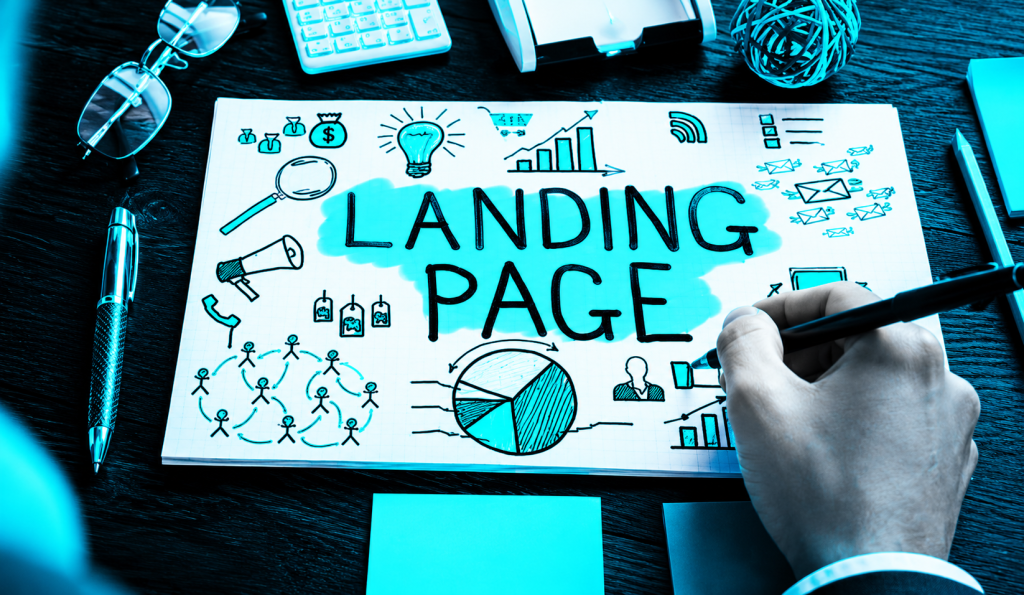
A hand sketching a "LANDING PAGE" mind map with business and marketing icons under a neon blue tint
Web & Conversion

Landing Page Tips

A landing page can be one of the most useful parts of your digital marketing strategy. It gives visitors a focused place to learn about a product, service, offer, or campaign and encourages them to take one specific action. But simply creating a landing page is not enough. The page needs to be clear, useful, fast, trustworthy, and easy to use. From the headline and images to the CTA, form, content, and mobile design, every part can affect how visitors respond. In this guide, we will cover practical landing page tips that can help you create better pages, improve the user experience, and increase conversions. 1. What Is a Landing Page? A landing page is a dedicated web page created for a specific marketing goal. People may reach it through Google Ads, social media, email campaigns, search engines, or other marketing channels. For example, if you are promoting SEO services, instead of sending visitors to your general homepage, you can create a landing page specifically for SEO. The page can explain the service, show its benefits, provide testimonials, answer questions, and guide visitors toward booking a consultation. The main idea is simple: one page, one clear purpose. 2. Why Landing Pages Are Important Landing pages help businesses turn interested visitors into leads or customers. A normal website may have many pages, menus, links, and services. A landing page removes much of that distraction and focuses attention on one offer. A good landing page can help you: Generate leads Promote a product Increase sales Collect email subscribers Get consultation requests Promote special offers Improve advertising results For example, someone clicking an ad for a free website audit should ideally reach a page that talks specifically about that audit rather than a general business homepage. 3. Landing Page vs Homepage A homepage introduces your overall business. It may contain information about your company, services, portfolio, blogs, contact details, and other pages. A landing page is much more focused. Homepage Introduces the brand Contains multiple sections Has several navigation options Covers different services or topics Landing Page Focuses on one offer Has one main goal Contains fewer distractions Encourages one specific action Both are important, but they serve different purposes. 4. Set One Clear Goal Before designing your landing page, decide what you want visitors to do. Your goal could be: Book a call Buy a product Request a quote Download a guide Sign up for a newsletter Start a free trial Fill out a contact form Do not try to make one landing page do everything. If you want visitors to book a consultation, make that the main action throughout the page. A focused goal makes your landing page easier to understand and easier to optimize. 5. Know Your Target Audience Good landing page content starts with understanding the people you want to reach. Think about their needs, problems, expectations, and concerns. Ask yourself: Who is visiting this page? What problem are they trying to solve? What result do they want? What questions might they have? What could stop them from taking action? For example, a landing page for small business owners should use different language from a page created for professional marketers. When your content speaks directly to your audience, it feels more relevant and personal. 6. Write a Strong Landing Page Headline Your headline is one of the first things visitors see. It should quickly explain what the page is about and why the visitor should care. A weak headline might say: “Welcome to Our Digital Marketing Services.” A stronger headline could be: “Get More Customers With Smarter Digital Marketing.” The second headline focuses more on the result. A good headline should be: Clear Short Relevant Benefit-focused Easy to understand Do not try to sound complicated. Clear language usually works better. 7. Create a Helpful Subheading Your subheading supports the main headline by providing a little more information. For example: Headline:“Turn More Website Visitors Into Customers” Subheading:“We create simple, user-friendly landing pages designed to help your business attract leads and increase conversions.” The subheading should explain the offer without becoming a large paragraph. Think of the headline as the attention-grabber and the subheading as the quick explanation. 8. Write Simple and Clear Copy Your landing page copy should be easy to read. Avoid complicated business language and long paragraphs. Visitors should not have to read everything to understand your main message. Use: Short paragraphs Simple sentences Clear headings Bullet points Direct language Instead of saying: “We provide comprehensive digital transformation solutions for businesses.” you could say: “We help businesses improve their online presence and reach more customers.” Simple copy feels more natural and is easier to understand. 9. CTA Placement and Design Your CTA should be easy to find. You can place your main CTA in important areas such as: Hero section After benefits After testimonials Near the bottom of the page The button should also look clickable and have enough space around it. Avoid using too many different CTA messages. If your main goal is booking a consultation, keep the main CTA focused on that action. 10. Create an Attractive Hero Section The hero section is the first major section of your landing page. A strong hero section usually contains: Main headline Subheading Primary CTA Relevant image or visual Optional trust element Visitors should be able to understand your offer quickly. A good hero section answers three simple questions: What are you offering? Why does it matter? What should I do next? If these answers are unclear, the hero section needs improvement. Use Relevant and High-Quality Images Images can make your landing page more attractive and easier to understand. However, do not use random stock images just to fill space. Choose visuals that support your message. For a website development landing page, you could show: Website mockups Dashboard screenshots Mobile website designs Before-and-after examples For a product landing page, show the actual product from useful angles. Images should be high quality but also optimized so they do not

A neon-blue desk setup featuring a laptop open to the WordPress dashboard surrounded by digital icons, tablets, and notebooks.
Web & Conversion

High-Converting Websites

A website is often the first place people go when they want to learn about a business. But having a website is not enough. A website should do more than look attractive. It should help visitors understand your business, trust your brand, and take the next step. A high-converting website is designed with this purpose in mind. It guides visitors from their first impression to an action, such as making a purchase, filling out a form, booking a call, requesting a quote, or contacting the business. In this guide, we will explore the most important elements of a high-converting website and how you can use them to create a better online experience. What Is a High-Converting Website? A high-converting website is a website that successfully turns visitors into leads, customers, subscribers, or other valuable actions. For example, imagine 1,000 people visit your website in a month. If 50 people contact you, your website has generated 50 conversions. A conversion does not always mean a sale. It depends on your business goal. Conversions can include: Product purchases Contact form submissions Phone calls Consultation bookings Newsletter sign-ups Account registrations Free trial registrations Quote requests Downloads The most important thing is that your website has a clear goal and makes it easy for visitors to reach it. Why Website Conversion Matters Getting website traffic is useful, but traffic alone does not grow a business. You can have thousands of visitors and still get very few customers if your website is confusing or difficult to use. For example, a website may have: Good traffic Beautiful images Professional branding Lots of information But if visitors cannot understand what the business offers or do not know what to do next, many of them will leave. A conversion-focused website tries to make every important step easier. It answers questions such as: What does this business offer? Why should I choose it? Can I trust it? What should I do next? When these questions are answered clearly, visitors are more likely to take action. 1. Start With a Clear Website Goal Before designing your website, decide what you want it to achieve. A website can have several goals, but it should have one clear primary purpose. For example: An e-commerce website may focus on sales. A service business may focus on leads. A consultant may focus on booking calls. A blog may focus on subscriptions. A SaaS business may focus on free trials. Your design, copy, and CTA should support that goal. If you do not know what action you want visitors to take, it becomes difficult to create a website that converts. 2. Understand Your Target Audience A website should not be written for everyone. Before creating your website, understand your ideal customer. Think about: What problem do they have? What are they looking for? What do they care about? What questions do they ask? What concerns might they have? What would make them trust your business? For example, a website selling affordable website design to small businesses should speak differently from a website selling enterprise software to large companies. The better you understand your audience, the easier it becomes to create content that feels relevant. 3. Create a Strong First Impression Visitors can quickly decide whether a website feels professional or confusing. Your first impression is influenced by: Design Headline Images Colors Layout Page speed Navigation Overall clarity Your website does not need to be extremely complicated to look professional. A clean layout, good typography, clear messaging, and relevant visuals can create a strong first impression. The goal is to make visitors feel: “I am in the right place.” 4. Write a Powerful Homepage Headline Your homepage headline should explain what you offer and why it matters. Avoid generic headlines such as: “Welcome to Our Website.” Instead, focus on the customer’s need or desired result. For example: “Build a Stronger Online Presence and Reach More Customers.” The headline should be: Clear Short Relevant Easy to understand Focused on value Visitors should not have to read an entire page to understand what your business does. 5. Add a Helpful Subheading A subheading can provide more information after the main headline. For example: Headline:“Grow Your Business With Smarter Digital Marketing.” Subheading:“We help businesses attract the right audience, improve their online presence, and turn more visitors into customers.” The headline gets attention, while the subheading provides context. Together, they should give visitors a quick understanding of your offer. 6. Focus on Benefits Instead of Only Features One of the most important conversion tips is to focus on benefits. Features explain what your product or service has. Benefits explain what the customer gets from it. For example: Feature:“Fast website loading.” Benefit:“Give visitors a smoother experience and reduce the chances of them leaving.” Another example: Feature:“Monthly marketing reports.” Benefit:“Understand your results and know where your marketing budget is going.” People usually care about how your offer can improve their situation. 7. Make Your Website Easy to Navigate Good navigation helps visitors find what they need without thinking too much. Your main navigation might include: Home About Services Portfolio Blog Contact For larger websites, additional categories may be useful. Keep navigation simple and consistent. Avoid making visitors click through several unnecessary pages just to find basic information. A simple navigation system creates a smoother user experience. 8. Use Clear Calls-to-Action A CTA, or call-to-action, tells visitors what to do next. Examples include: Get Started Book a Free Call Request a Quote Contact Us Buy Now Start Free Trial Learn More Get a Free Consultation A CTA should be specific and easy to understand. Instead of using only “Submit,” you might use: “Get My Free Consultation.” The second option tells visitors exactly what they are getting. 9. Build Trust From the Beginning Trust is one of the biggest factors affecting conversions. Visitors may hesitate if they do not know: Who you are Whether your business is genuine Whether your service works Whether other people trust you You can build trust through: Testimonials

Scroll to Top